The first cloud bill is a surprise when nobody owns a number. Budget alarms and tagging are how you find the line item while it is still a line item. They are not a FinOps programme. They are a day-one habit, next to IAM and a private network.
We put them in the cloud and DevOps baseline, the same place as a boring AWS setup. They matter whether you chose AWS or Azure. A second cloud "for the AI bit" does not get a pass — it gets the same tags and its own alarm, or you do not open the account.
Tag Before You Spend
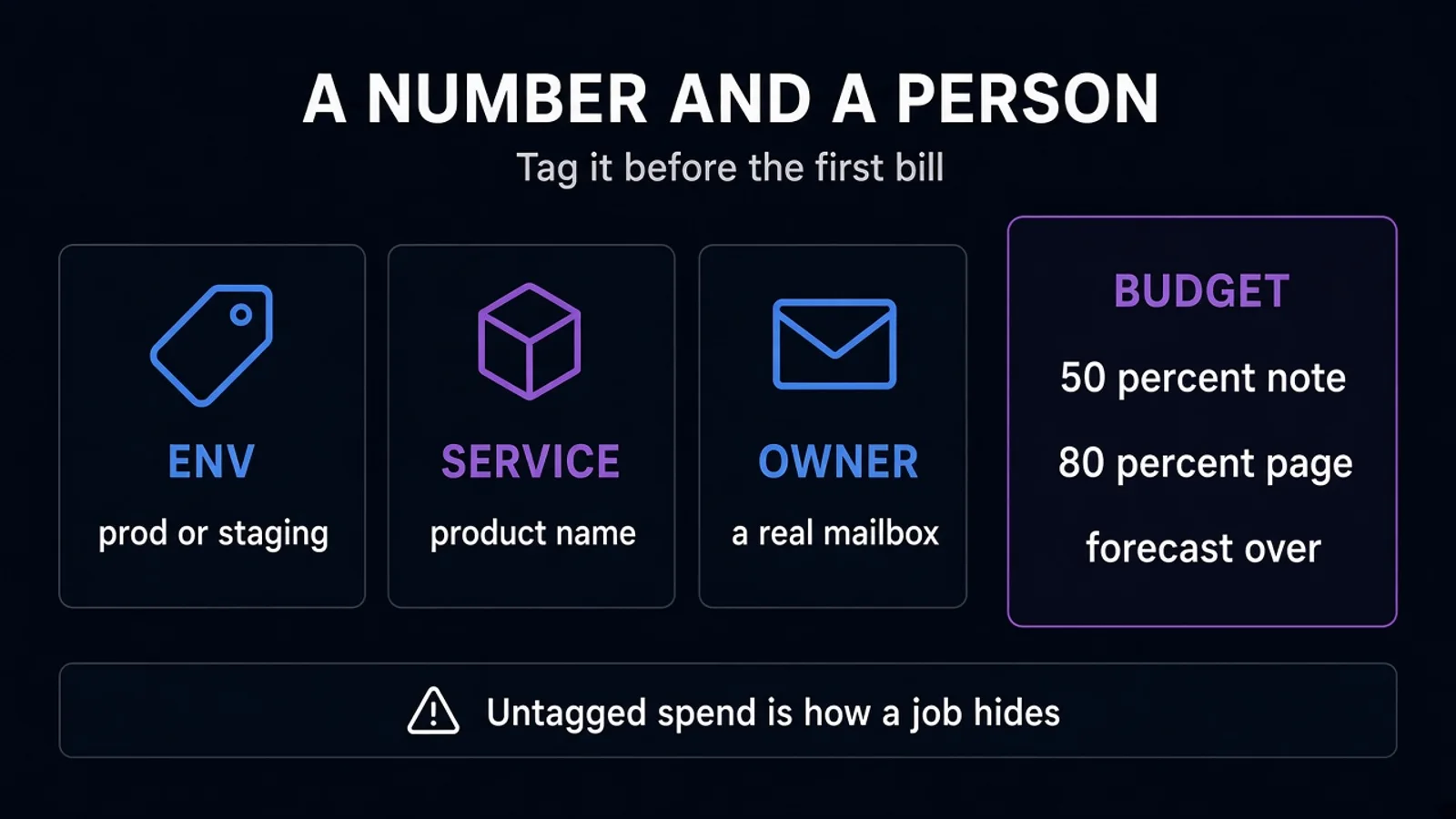
Tags are how a bill becomes a sentence: this environment, this service, this owner.
Minimum set we actually use:
- env —
prod,staging,dev(notproductionandProductionandprd) - service — the product or component a human recognizes
- owner — a team email or a name that still works after someone leaves the project
- cost-center — only if finance already has the code; do not invent a taxonomy for a three-person product
Enforce them. A tag policy or an IaC check that rejects untagged resources beats a monthly spreadsheet. Untagged spend is how a forgotten GPU or a public NAT hides.
Do not tag every key the console offers. Four consistent keys beat twenty that drift. Apply them in Terraform (or Bicep) so a console click is the exception, not the source of truth.
Data transfer, logs, and managed model APIs need a home too. If the LLM vendor is outside the cloud bill, track it in the same monthly review — token cost will not show up as an EC2 row.
Alarms That Page a Human
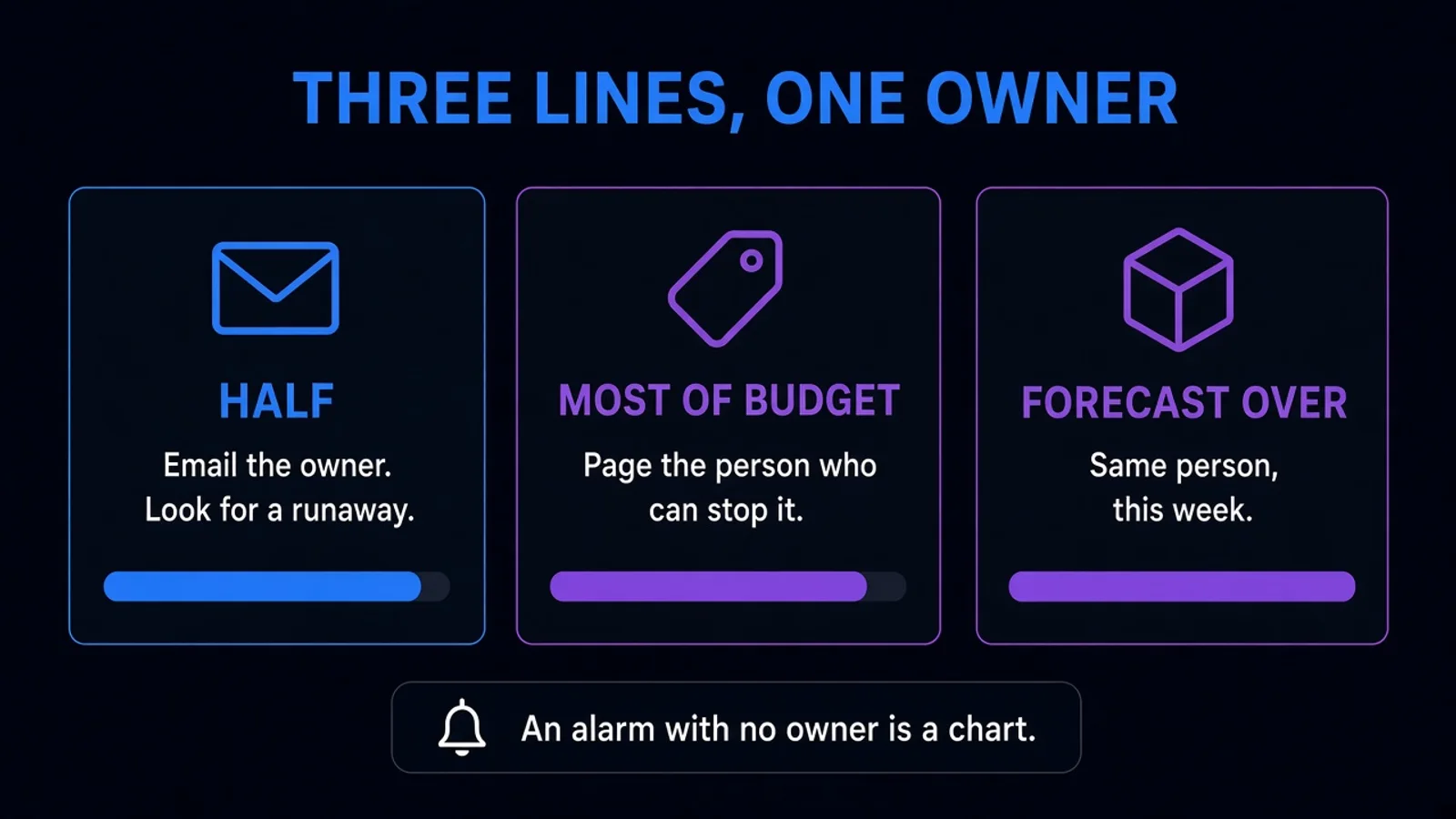
A budget without a recipient is a chart. Set the monthly number before the workload is famous, even if the number is a guess you will revise.
| Threshold | Action |
|---|---|
| ~50% of the month's budget, early in the month | Email the owner; look for a runaway job, not a lecture |
| ~80–100% | Page or ticket the person who can stop the resource |
| Forecast over 100% before month end | Same person, same week — forecasts lie less than hope |
Anomaly alerts (a service that doubled overnight) sit beside the budget, not instead of it. A small account can blow up on a single NAT or a log group and still be "under" a budget you set too high.
Name the human. "The DevOps channel" is not a human if nobody is on rotation. For a small product, the engineering lead is enough. Write the name in the runbook next to the alarm.
What they need when it fires:
- Which service and environment
- The resource id, not only the dollar total
- Whether this is expected (a launch, a backfill) or not
- How to stop it without deleting the account
Kubernetes cost is the same muscle at a smaller grain: requests, idle nodes, and a person who reads the bill. You do not need a cluster to need an alarm. You need one if you have a cluster.
What Day One Looks Like
In the first account, before the app is "real":
- One monthly budget for prod, one for non-prod (non-prod is where forgotten instances live).
- The four tags, applied by the template that creates the account resources.
- Alarms to a mailbox a person reads, and a ticket or page at the high threshold.
- A calendar hold once a month: fifteen minutes, the bill, the tags that are missing.
- No long-lived access keys in laptops; cost tools use a role. Same rule as secrets.
That is the baseline. Chargeback by team, unit economics per tenant, and commitment discounts come after you can see the bill. Doing them first is how the programme outruns the product.
Credits and startup programmes expire. Set the alarm against the list price you will pay when the credit ends, or you will meet that price as an incident. Say this in the SOW so "the cloud is free for a year" does not become the plan.
What Not to Build
- A dashboard nobody opens, with twelve widgets and no threshold
- Tagging as a cleanup project in month six (you will not catch up)
- A single shared alarm that includes the vendor sandbox and production, so people mute it
- Shutting down prod automatically at 100% without a human — unless you have explicitly agreed that an outage is cheaper than the overrun
Automatic stop is reasonable for dev in the evening. It is a product decision for prod, not a default in the account factory.
FAQ
We are small. Is this overhead? The overhead is two budgets and a tag policy. The overhead of not doing it is a bill someone explains after the fact, usually in a worse week.
Azure budgets or AWS budgets? Use the one in the account you already picked. The mechanics differ; the habit does not. Do not delay tagging until you finish a cloud bake-off.
Should finance own the alarms? Finance should own the number and the cost center. Engineering should own the page, because engineering can stop the resource. A PDF to finance on the 3rd is a report. It is not an alarm.
The Bottom Line
Budget alarms and tagging on day one means a monthly number, a person who is paged, and a few tags applied by code before the first real workload. Revise the number when you learn. Do not wait for a surprise to invent the owner.
A cloud account without an alarm is a credit card with no text messages.
Setting a cloud baseline you can read on the bill? See cloud and DevOps or get a free estimate.